

Biometric access control replaces cards and fobs with something that cannot be lost, shared, or cloned: a fingerprint, a face, or an iris pattern. For UK commercial buildings, the technology has moved from niche to mainstream over the past five years, driven by falling hardware costs and growing concerns about credential sharing and cloning.
This guide covers how biometric access control works, the main reader types, what installation costs in the UK, how to integrate biometrics with an existing access control system, and the GDPR requirements that apply to biometric data. If you are evaluating whether biometrics are the right upgrade for your site, or you are an installer specifying a system, this is the practical reference you need.
What Is Biometric Access Control?
Biometric access control is a security system that verifies a person’s identity using a unique physical characteristic before granting or denying entry to a building, room, or restricted area. Instead of presenting a card or entering a PIN, the user presents a fingerprint, face, or iris to a reader mounted at the door.
The reader captures the biometric data, converts it into a digital template, and sends that template to an access controller for verification. If the template matches an enrolled record, the controller triggers the electronic lock to open. The entire process takes under a second for most fingerprint and facial recognition systems.
Biometric systems use the same core hardware architecture as card-based access control installations: reader, controller, lock, and management software. The difference is the credential. Instead of reading an RFID card or NFC tag, the reader captures biometric data from the user directly.
Types of Biometric Access Control
There are five main biometric technologies used in commercial access control. Each has different strengths, costs, and practical considerations.
Fingerprint Recognition
Fingerprint readers are the most widely installed biometric for UK commercial access control. Modern readers use multispectral imaging sensors that capture data from both the surface and subsurface layers of the skin, which means they work reliably even with minor cuts, moisture, or light dirt on the finger.
A typical commercial fingerprint reader stores templates (not raw images) and can hold 5,000 to 10,000 enrolled users. Authentication takes 0.5 to 1 second. Hardware costs range from £150 to £500 per reader depending on the sensor quality, weather rating, and protocol support.
Fingerprint readers communicate with access controllers using Wiegand or OSDP, making them compatible with most existing access control infrastructure without requiring a controller replacement.
Facial Recognition
Facial recognition terminals use infrared cameras and 3D mapping to identify users without physical contact. This makes them well-suited to environments where hygiene matters (healthcare, food production) or where users frequently have their hands full.
Modern systems include liveness detection to prevent spoofing with photographs or video, and most can authenticate users wearing glasses. Recognition typically takes under 1 second at distances of 0.5 to 1.5 metres.
Facial recognition readers cost more than fingerprint units, typically £400 to £1,200 per reader. They also require more careful positioning: consistent lighting and a controlled approach angle improve recognition accuracy significantly.
Iris Scanners
Iris recognition provides the highest accuracy of any biometric modality. Each person’s iris pattern is unique and remains stable throughout their lifetime. Scanners use near-infrared light to capture the iris pattern through a non-contact scan at a distance of 10 to 30 cm.
The trade-off is cost. Iris scanners typically start at £800 and can exceed £2,000 per unit. They are primarily specified for high-security environments: data centres, government facilities, research laboratories, and pharmaceutical storage areas.
Vein Pattern Recognition
Vein pattern readers scan the vein structure beneath the skin of the finger or palm using near-infrared light. Because the vein pattern is internal, it cannot be captured by a photograph or lifted from a surface, making it extremely resistant to spoofing.
Vein recognition is less common in the UK market but is gaining traction in financial services and healthcare applications where both security and hygiene are priorities.
Multi-Modal Biometrics
Multi-modal systems combine two or more biometric modalities (for example, fingerprint plus facial recognition) or combine a biometric with a card or PIN for multi-factor authentication. This approach increases security and reduces false rejection rates by providing a fallback if one biometric read fails.
For most UK commercial applications, we see multi-factor (biometric + card or biometric + PIN) specified more often than multi-modal (two biometrics). It provides a strong security improvement without doubling the hardware cost.
Biometric Access Control vs Card-Based Systems
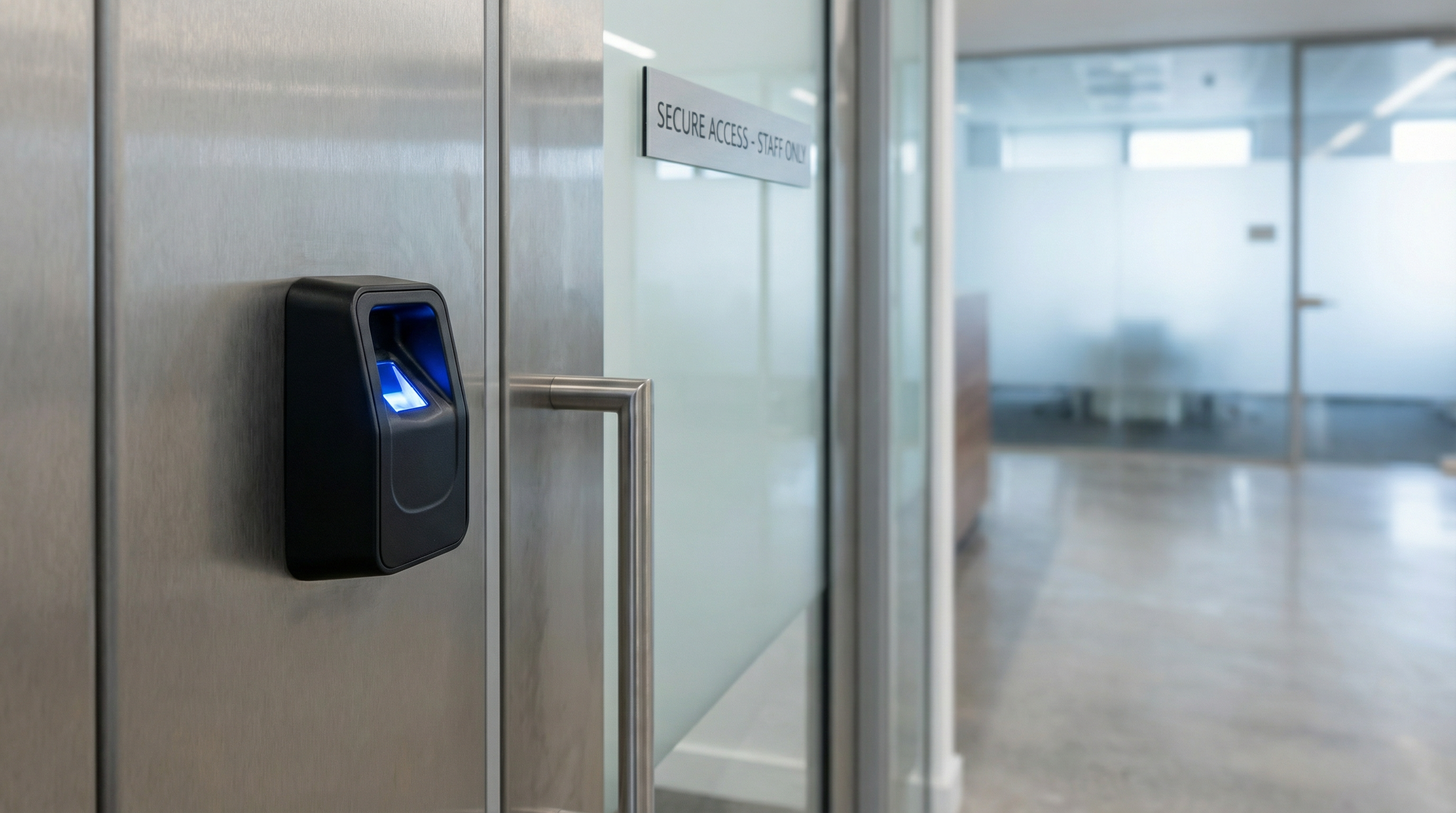
The table below compares biometric access control against traditional card-based and PIN-based systems across the criteria that matter most for UK commercial installations.
| Feature | Biometric | RFID Card/Fob | PIN Keypad |
|---|---|---|---|
| Credential can be lost or stolen | No | Yes | No (but can be shared) |
| Credential can be cloned | No | Yes (unencrypted cards) | N/A |
| Credential sharing possible | No | Yes | Yes |
| Authentication speed | 0.5-1.5 seconds | Under 0.5 seconds | 2-4 seconds |
| Per-door hardware cost | £500-£1,200 | £300-£600 | £150-£400 |
| Ongoing credential costs | None | £2-£8 per card | None |
| GDPR special category data | Yes | No | No |
| Works with gloves | No (fingerprint) | Yes | Yes |
| Environmental sensitivity | Moderate | Low | Low |
Card-based systems remain the right choice for many sites, particularly where speed and simplicity matter more than preventing credential sharing. For a detailed comparison of card technologies, see our guide to RFID vs proximity cards.
Biometrics make the strongest case where credential sharing is a genuine security or commercial risk: think server rooms, pharmaceutical storage, time-and-attendance-critical environments, or any site where you need to prove that a specific individual (not just their card) was present at a door at a given time.
How to Integrate Biometrics with an Existing Access Control System
One of the most common questions we hear from installers is whether adding biometric readers means replacing the entire access control system. In most cases, the answer is no.
Controller Compatibility
Biometric readers communicate with access controllers using standard protocols, primarily Wiegand (26-bit or 34-bit) and OSDP (RS-485). Any controller that accepts these protocols can work with a biometric reader.
DeltaQuest controllers, for example, accept both Wiegand and OSDP inputs. This means you can connect a fingerprint or facial recognition reader directly to an existing DeltaQuest installation without replacing the controller, the software, or the locking hardware. The biometric reader simply replaces the card reader at the door.
For sites running third-party controllers, check that the controller supports the output format of your chosen biometric reader. Most commercial biometric readers output a Wiegand credential number after a successful biometric match, which the controller processes identically to a card read.
Installation Steps
A typical biometric integration follows this sequence:
- Site survey: Assess each access point for reader mounting position, lighting conditions (for facial recognition), power availability, and cable routes. Identify which doors need biometric readers and which can remain card-based.
- Reader selection: Choose the biometric modality based on the environment. Fingerprint for most commercial doors. Facial recognition for hygiene-sensitive areas. Iris for high-security zones.
- Hardware installation: Mount the biometric reader at the appropriate height (typically 1.1-1.2 metres for fingerprint, 1.4-1.6 metres for facial recognition). Run cabling back to the access controller.
- Controller configuration: Configure the controller to accept the reader’s output format. For Wiegand readers, set the correct bit format. For OSDP readers, configure the RS-485 address.
- User enrolment: Register each user’s biometric template in the access control software. Fingerprint enrolment requires 2-3 scans of the same finger. Facial recognition enrolment requires a single capture in controlled lighting.
- Testing: Test each enrolled user at each reader under normal operating conditions. Verify that the access logs record biometric events correctly.
- Staff training: Brief security personnel and facilities managers on user enrolment, template management, and how to handle edge cases (failed reads, new starters, leavers).
Multi-Factor Configuration
For higher-security doors, configure the system to require biometric verification plus a second factor. The most common configurations are:
- Biometric + RFID card: The user presents their card first, then verifies with a fingerprint or face scan. This confirms both possession (the card) and identity (the biometric).
- Biometric + PIN: The user enters a PIN, then presents their biometric. Useful where cards are not issued.
Multi-factor authentication is increasingly specified in UK commercial security tenders, particularly for data centres, financial services offices, and facilities handling sensitive information.
What Does Biometric Access Control Cost in the UK?
Pricing varies by biometric modality, number of doors, and installation complexity. The figures below reflect what we typically see in UK supply-and-fit projects.
| Component | Approximate UK Cost |
|---|---|
| Fingerprint reader (per door) | £150-£500 |
| Facial recognition reader (per door) | £400-£1,200 |
| Iris scanner (per door) | £800-£2,000+ |
| Single-door biometric system (reader + controller + lock) | £500-£1,200 |
| 3-5 door biometric installation (supply and fit) | £3,000-£8,000 |
| User enrolment (per user, typical) | Included in installation |
These figures cover hardware and installation labour. Software licensing, backend infrastructure, and ongoing support contracts are additional costs that vary by platform.
The most significant cost difference between biometric and card-based systems is the upfront hardware. However, biometric systems eliminate the ongoing cost of credential replacement. For organisations with high staff turnover or frequent card losses, this can offset the higher initial investment within 2-3 years.
For a broader comparison of access control costs across different system types, see our UK access control cost guide.
UK GDPR and Biometric Data
Biometric data is classified as “special category data” under UK GDPR (Article 9). This places significantly stricter requirements on biometric access control systems compared to card-based alternatives.
Data Protection Impact Assessment
A Data Protection Impact Assessment (DPIA) is mandatory before deploying any biometric access control system. The DPIA must document:
- The lawful basis for processing biometric data (typically explicit consent or substantial public interest)
- Why a less intrusive alternative (such as card-based access) is not sufficient
- How biometric templates are stored, encrypted, and protected
- Retention periods and deletion procedures
- How individuals can exercise their rights (access, erasure, objection)
Template Storage and Encryption
Modern biometric readers store mathematical templates, not raw images. A template cannot be reverse-engineered to reconstruct a fingerprint or face. Reputable systems encrypt templates using AES-256 and store them either on the reader itself, on the access controller, or on a secure server.
For maximum data protection, some systems store the template only on a smart card carried by the user. This means no biometric data is held centrally, which significantly simplifies GDPR compliance but requires users to carry a card as well as providing a biometric.
Practical Compliance Steps
- Obtain explicit, informed consent from each individual before enrolling their biometric data
- Provide a non-biometric alternative (card or PIN) for individuals who decline consent
- Delete biometric templates promptly when an individual leaves the organisation
- Restrict access to the biometric database to authorised administrators only
- Document your processing activities in your Record of Processing Activities (RoPA)
The ICO’s guidance on biometric data provides detailed requirements for UK organisations.
Benefits and Limitations
Benefits
- Eliminates credential sharing: A fingerprint cannot be handed to a colleague. This matters for time-and-attendance accuracy and for areas where individual accountability is required.
- No ongoing credential costs: No cards to print, replace, or post to new starters.
- Stronger audit trail: The access log proves a specific individual was present, not just that their card was.
- Reduced administrative overhead: No lost card requests, no deactivation-and-reissue cycles.
- Deterrent effect: The visible presence of biometric readers signals a higher security posture to visitors and potential intruders.
Limitations
- GDPR complexity: Special category data requirements add administrative and legal overhead that card-based systems do not carry.
- Environmental sensitivity: Fingerprint readers can struggle with very dirty or very dry hands. Facial recognition accuracy drops in extreme backlighting or rapidly changing light conditions.
- Higher upfront cost: Biometric readers cost 50-100% more per door than equivalent card readers.
- User acceptance: Some individuals are uncomfortable providing biometric data. You must offer a non-biometric alternative.
- Enrolment overhead: Every user must be physically present for biometric enrolment, unlike card systems where credentials can be posted or collected from a reception desk.
Choosing the Right Biometric System for Your Site
Five questions to ask before specifying:
1. What is the primary security risk you are addressing? If the problem is credential cloning, biometrics solve it completely. If the problem is tailgating or door propping, biometrics alone will not fix it. Understand the threat before choosing the technology.
2. What are the environmental conditions at each access point? Indoor, climate-controlled environments suit all biometric types. Outdoor or wet environments favour facial recognition (contactless, no skin contact required). Dusty or industrial settings may cause issues for fingerprint readers.
3. How many users need to be enrolled? Fingerprint readers comfortably handle 5,000-10,000 users. Facial recognition systems vary more widely. If you need to enrol tens of thousands of users, confirm the reader and software can scale.
4. Is your existing controller compatible? Check that your current access controller accepts Wiegand or OSDP inputs. If it does, you can add biometric readers without replacing the controller. Open-architecture controllers like DeltaQuest make this straightforward.
5. Have you completed a DPIA? If not, start there. The DPIA may influence your choice of biometric modality, template storage approach, and whether on-card storage is preferable to centralised storage.
Frequently Asked Questions
What is biometric access control?
Biometric access control is a security system that uses a person’s unique physical characteristics (fingerprint, face, iris, or vein pattern) to verify their identity before granting access to a building or restricted area. The biometric reader captures a template of the characteristic and matches it against enrolled records stored in the access control system.
How much does biometric access control cost to install in the UK?
A single-door biometric system (fingerprint reader, controller, and electronic lock) typically costs £500-£1,200 for hardware and installation. A 3-5 door installation runs £3,000-£8,000 depending on reader type, cabling complexity, and whether controllers need replacing. Facial recognition and iris systems sit at the upper end of these ranges.
Can biometric readers work with my existing access control system?
In most cases, yes. Biometric readers that output Wiegand or OSDP data are compatible with any access controller that accepts these standard protocols. The biometric reader replaces the card reader at the door; the controller, locks, and management software remain unchanged. DeltaQuest and most other commercial controllers support both protocols.
What are the main types of biometric authentication for access control?
The five main types are fingerprint recognition (most common), facial recognition (contactless, growing fast), iris scanning (highest accuracy, highest cost), vein pattern recognition (spoof-resistant), and voice recognition (rarely used for physical access control). Most UK commercial installations use fingerprint or facial recognition.
Is biometric data secure?
Modern biometric readers store encrypted mathematical templates, not raw images. A stored template cannot be reverse-engineered to recreate a fingerprint or face. Systems using AES-256 encryption and on-device or on-card template storage provide strong data protection. However, biometric data is classified as special category data under UK GDPR, which requires a DPIA, explicit consent, and strict handling procedures.
What happens if a biometric reader fails or cannot read a user?
Best practice is to configure a fallback authentication method at every biometric access point. This is typically a PIN keypad or an RFID card reader integrated into the same unit or mounted alongside it. Multi-technology readers that combine biometric and card functionality in a single device are widely available and reduce this risk.
If you are considering biometric access control for your site and want advice on reader selection, controller compatibility, or integration with your existing system, talk to one of our engineers. We specify and supply access control hardware across the UK and can recommend the right biometric approach for your building type, security requirements, and budget.
Lewys Jenkins is Nortech’s Key Account Manager, working directly with installers and integrators across the UK. He specialises in vehicle identification and long-range RFID systems.