
Most businesses know they need access control. The part that catches people off guard is the installation itself: what it involves, how long it takes, and what to look for in an installer.
At Nortech, we have been designing and manufacturing access control hardware for over 30 years. We work with installers and integrators across the UK every day, so we see what makes an installation go smoothly and where projects run into trouble. This guide covers the full process, from the initial site survey through to handover, so you know exactly what to expect.
What Is Access Control Installation?
Access control installation is the process of fitting electronic readers, locks, controllers, and cabling to secure the entry points of a building, then configuring the software that manages who can enter, when, and where.
It replaces traditional lock-and-key security with a system that can be managed digitally. Lost a key fob? Deactivate it in seconds. Need to restrict a contractor to one floor during working hours? Set it in software. Want a full audit trail of who entered the server room last Tuesday? It is already logged.
The scope of an installation varies enormously. A single standalone door reader for a small office is a straightforward half-day job. A multi-site, networked system with dozens of doors, CCTV integration, and time-zone restrictions is a multi-day project that requires careful planning. The fundamentals, though, are the same.
Key Components of an Access Control System
Before looking at the installation process itself, it helps to understand the hardware that goes into a system. Every door in an access control installation requires four core components.
| Component | What It Does | Examples |
|---|---|---|
| Reader | Reads the user’s credential at the door | RFID card reader, key fob reader, keypad, biometric scanner |
| Electronic lock | Physically secures the door | Maglock, electric strike, motorised lock |
| Door controller | Receives the credential data, checks permissions, sends the unlock signal | Single-door controller, 2-door controller, 4-door controller |
| Cabling | Connects the reader and lock back to the controller and power supply | Low-voltage cable, Ethernet, power cable |
The controller is the intelligence of the system. It receives the credential ID from the reader, checks it against the permissions database, and decides whether to unlock the door. In a networked system, multiple controllers communicate with central management software, which is where administrators add users, set access levels, and pull reports.
For a deeper look at how RFID technology works in these systems, see our RFID access control guide.
The 5-Stage Access Control Installation Process
A professional access control installation follows a structured process. Cutting corners at any stage leads to problems down the line, whether that is unreliable reads, fire compliance issues, or a system that is difficult to manage.
Stage 1: Site Survey
The installation starts with an engineer visiting your site. During the survey, they will:
- Assess each entry point that needs securing (doors, gates, barriers, turnstiles)
- Identify cable routes from the doors back to the controller location
- Check the existing door hardware (frame type, door material, hinge side)
- Review power supply availability and backup requirements
- Note any integration needs with CCTV, intruder alarms, or fire systems
- Confirm whether fail-safe or fail-secure locking is required for each door
This stage is critical. The survey determines the system design, the hardware specification, and the cost. A good installer will ask about your operational requirements, not just count doors.
Stage 2: System Design
Based on the survey, the installer designs the system around your security zones, user groups, and time restrictions.
Key decisions at this stage include:
- Credential type: Key fobs, proximity cards, PIN keypads, mobile credentials, or biometrics. For most commercial sites, RFID cards or fobs are the default. For higher-security areas, specify encrypted credentials (MIFARE DESFire) rather than basic 125 kHz fobs, which can be cloned.
- Standalone or networked: A standalone reader manages one door independently. A networked system connects all doors to central software, enabling remote management, audit trails, and time-zone restrictions. For anything beyond a single door, networked is almost always worth it.
- Controller architecture: Open-architecture controllers (like Nortech’s DeltaQuest range) work with your choice of management software. Proprietary systems lock you into one vendor’s hardware, software, and pricing.
- Lock type: Maglocks hold the door closed electromagnetically and release on power loss (fail-safe, suitable for fire exits). Electric strikes lock the latch mechanism and remain locked on power loss (fail-secure, suitable for perimeter doors).
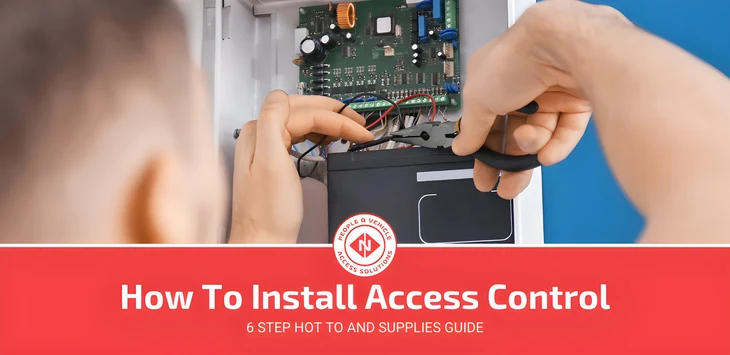
Stage 3: Hardware Installation
This is the physical installation day. The installer will:
- Mount readers at each door, typically on the lock side of the frame at a height of 1,000 to 1,200 mm
- Fit electronic locks (maglocks or electric strikes) to the door frames
- Install door controllers in a secure, accessible location (usually a comms cabinet or dedicated enclosure)
- Run cabling from each reader and lock back to the controller
- Connect the controller to the network and power supply
- Fit any ancillary hardware: request-to-exit buttons, door contact sensors, break-glass units
For most installations, cabling is the most time-consuming element. The cleaner the cable routes (through existing trunking, ceiling voids, or cavity walls), the faster and tidier the installation.
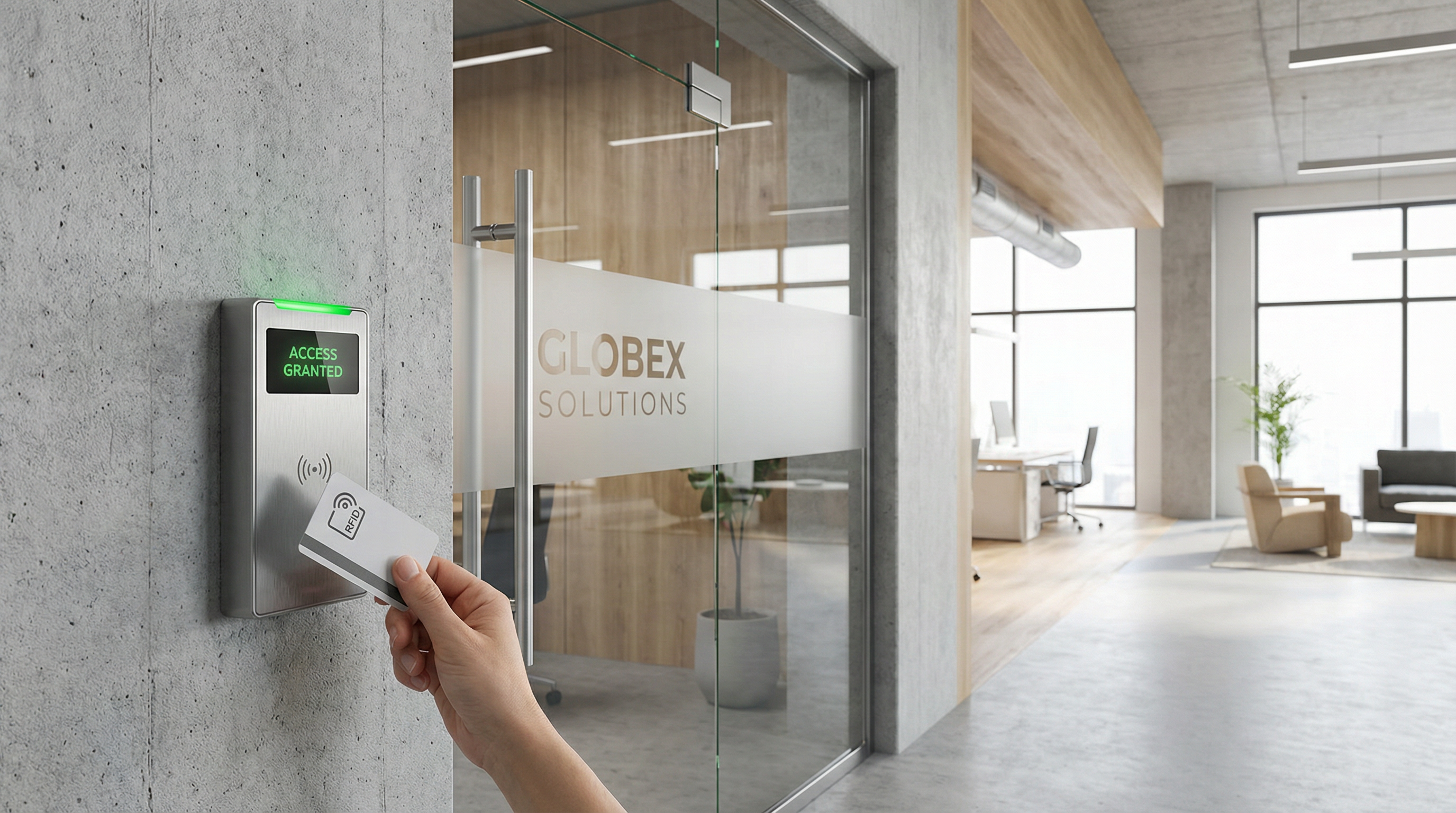
Stage 4: Software Configuration
With the hardware in place, the installer configures the management software:
- Programmes each reader and controller into the system
- Creates user groups and access levels (for example: “All staff, ground floor, Mon to Fri 07:00 to 19:00”)
- Sets time-zone restrictions where required
- Configures integration with CCTV, intruder alarms, or fire panels
- Tests every door end-to-end with valid and invalid credentials
- Verifies fail-safe/fail-secure behaviour and fire alarm integration
This stage is where the system comes to life. The difference between a good installation and a mediocre one often comes down to how well the software is configured.
Stage 5: Training and Handover
The installer should train your team on day-to-day system management:
- How to add, edit, and remove users
- How to issue and revoke credentials (cards, fobs, or PINs)
- How to view audit logs and generate reports
- How to handle common scenarios: lost fobs, temporary visitor access, emergency lockdown
- Who to call for technical support
A proper handover also includes documentation: system diagrams, controller locations, software login details, and the maintenance schedule.

How Long Does Access Control Installation Take?
Installation time depends on the number of doors, the complexity of the cabling, and whether the system integrates with other building systems.
| Installation Size | Typical Duration |
|---|---|
| Single door (standalone) | 2 to 4 hours |
| 3 to 5 doors (networked) | 1 to 2 days |
| 10 to 20 doors (multi-zone) | 3 to 5 days |
| 50+ doors (multi-site) | 1 to 3 weeks |
Most small-to-medium commercial installations are completed within one to two days with minimal disruption to site operations. Larger projects are typically phased so that areas of the building remain operational throughout.
How Much Does Access Control Installation Cost in the UK?
Cost varies by system type, number of doors, and installation complexity. The table below gives typical UK price ranges as a starting point.
| Cost Component | Typical UK Range |
|---|---|
| Hardware per door (reader + lock + controller) | £300 to £600 |
| Fully installed system per door | £500 to £800 |
| Standard RFID fobs or cards (per credential) | £3 to £15 |
| Encrypted smart credentials (MIFARE DESFire) | £15 to £50 |
| Annual maintenance visit | £75 to £150 |
| Cloud management software | £20 to £60/month |
For a typical 3 to 5 door networked installation, budget £2,000 to £4,500 for the complete system including hardware, cabling, software setup, and commissioning. For a detailed breakdown across different system types, see our access control system cost guide.
Several factors push costs up:
- Longer cable runs: older buildings or sites where cabling cannot follow existing routes add labour time.
- Encrypted credentials: MIFARE DESFire cards cost more than basic 125 kHz fobs, but they are significantly harder to clone. For any site where security genuinely matters, they are worth the investment.
- Integration: linking to CCTV, intruder alarms, or HR/time-and-attendance platforms adds project cost but reduces ongoing administration.
- Proprietary vs open architecture: proprietary systems often include recurring software licence fees. Open-architecture controllers avoid this, which makes a meaningful difference to total cost of ownership at scale.
What to Look for in an Access Control Installer
The installer you choose matters as much as the hardware. A poorly installed system creates ongoing reliability problems, compliance gaps, and frustration.
NSI or SSAIB Approval
For commercial installations in the UK, look for installers approved by the NSI (National Security Inspectorate) or SSAIB. This ensures the installation meets BS EN 60839 standards for electronic access control systems and is typically required for insurance compliance.
Fire Compliance
Access control must integrate correctly with your fire alarm system. Doors on escape routes should use fail-safe locks that release automatically when the fire alarm triggers. A properly installed system also logs these events for compliance reporting. Getting this wrong is both a safety risk and a regulatory problem.
Ongoing Support
Check what happens after installation. Does the installer offer a maintenance contract? What is the response time for faults? Can they support the system remotely? The best installation is worthless if nobody can fix it when something goes wrong.
Open Architecture
We would always recommend specifying open-architecture controllers. They work with your choice of management software, avoid proprietary lock-in, and do not impose recurring licence fees. This is a decision that affects cost and flexibility for the lifetime of the system. For more on how this works, see our guide to Wiegand access control and open protocol standards.
Types of Access Control Systems
Not every building needs the same type of system. Understanding the main categories helps you specify the right solution for your site.
RFID Card and Fob Systems
The most common type for commercial buildings. Users present a card or key fob to a reader mounted beside the door. The reader checks the credential against the permissions database and unlocks the door if authorised.
RFID systems are cost-effective, easy to manage, and scale well. Lost credentials can be deactivated instantly. For most office, warehouse, and multi-tenant buildings, this is the right starting point.
Keypad (PIN) Systems
Users enter a numeric code to gain access. Simple and low-cost, but codes can be shared, and there is no audit trail of who actually entered. Best suited for low-risk internal doors where individual accountability is not required.
Biometric Systems
Fingerprint, facial recognition, or iris scanning provides the highest level of individual authentication. The credential cannot be lost, stolen, or shared. However, biometric systems cost more, can produce false negatives in dirty or wet environments, and raise GDPR considerations around storing biometric data.
For higher-security areas, pairing biometric access control with an RFID credential (two-factor authentication) provides the strongest verification.
Mobile Access
Users unlock doors using their smartphone via Bluetooth or NFC. No physical credential to carry or lose. Mobile access is increasingly popular in modern office environments, though it depends on users having their phone charged and the app installed.
Frequently Asked Questions
What is access control system installation?
Access control system installation is the process of fitting electronic readers, locks, controllers, and cabling at a building’s entry points, then configuring management software to control who can access which doors and when. A professional installation includes a site survey, system design, hardware fitting, software setup, testing, and staff training.
How much does it cost to install an access control system?
In the UK, a fully installed access control system typically costs £500 to £800 per door, including hardware, cabling, and commissioning. A networked installation covering 3 to 5 doors usually runs £2,000 to £4,500 for the complete system. Individual fobs or cards cost £3 to £15 each for standard credentials.
How long does access control installation take?
A single-door standalone system can be installed in 2 to 4 hours. A typical 3 to 5 door networked installation takes 1 to 2 days. Larger multi-zone projects (10 to 20 doors) take 3 to 5 days. Most installations are completed with minimal disruption to daily operations.
What are the 4 types of access control?
The four main types are RFID (card and fob), keypad (PIN code), biometric (fingerprint, facial recognition), and mobile (smartphone app). Each has different strengths: RFID is the most cost-effective and widely used, keypads are simplest, biometrics offer the highest security, and mobile access eliminates physical credentials entirely.
Do I need a professional installer for access control?
Yes, for any commercial installation. A professional installer ensures correct wiring, fire compliance (fail-safe locks on escape routes), BS EN 60839 standards, and proper integration with other building systems. DIY installation risks voiding warranties, creating safety hazards, and failing insurance requirements.
Can access control integrate with CCTV and alarms?
Yes. Modern access control systems integrate with CCTV (capturing images when credentials are presented), intruder alarm systems, fire alarms, and time-and-attendance software. Integration requires compatible protocols and proper configuration during installation, which is why specifying open-architecture hardware matters.
Access control installation is a straightforward process when it is planned and executed properly. The decisions that matter most are not about the hardware on the door but about the system architecture behind it: open vs proprietary, standalone vs networked, basic credentials vs encrypted.
If you are planning an access control installation and want to talk through the right approach for your site, talk to an engineer at Nortech. We have been specifying and installing access control systems across the UK for over 30 years, and we can give you a straight answer on what will actually work.
Lewys Jenkins is Nortech’s Key Account Manager, working directly with installers and integrators across the UK. He specialises in access control system specification and vehicle identification.