
A card scanner, more properly a card reader, works by reading data stored on a card and passing it to a computer, payment terminal or access controller. Contact readers touch the card’s gold chip or read its magnetic stripe. Contactless readers power the card with a radio field, 13.56 MHz for smart cards and 125 kHz for proximity cards, and read its ID or encrypted data.
Nortech designs and manufactures proximity and smart card readers in Cwmbran, South Wales, for access control systems across the UK. This guide covers how card readers work, how smart cards and smart card readers work, the difference between smart cards and proximity cards, and what happens to a card-controlled door when the power fails.
How do card readers work?
Every card reader does the same job. It gets a number or a block of data off the card and hands it to the system that makes the decision. What differs is how the data is stored on the card, and so how the reader gets at it.
| Card reader technology | How the reader gets the data | Card power | Typical use |
|---|---|---|---|
| Magnetic stripe | A magnetic head reads the stripe as the card is swiped | None needed | Older access control, time and attendance, point of sale |
| Contact smart card | Metal pins touch the gold contact pad on an inserted card | From the reader, through the contacts | Chip and PIN, PC log-in, ID cards |
| Contactless smart card (13.56 MHz) | The reader’s field powers the chip, which returns its ID or encrypted data | From the reader’s field | Secure door access, transport, payments |
| Proximity card (125 kHz) | The reader’s field powers the chip, which returns a fixed ID number | From the reader’s field | Standard door entry, especially older systems |
Magnetic stripe readers are still made for access control. Our RH300 magnetic stripe reader reads ISO track 1, 2 or 3 cards and has a read head rated for more than 1 million passes. Most new door installations, though, use contactless smart cards or proximity cards, so that is where the rest of this guide concentrates.
What is a smart card reader?
A smart card reader is a device that reads and writes data on the microchip inside a smart card. A contact reader connects through the gold pad on the card’s face; a contactless reader communicates through a 13.56 MHz field. The reader powers the chip, exchanges data with it, and passes the result to a PC, payment terminal or access controller.
Smart card readers come in three common forms. Desktop readers plug into a PC by USB for log-in, ID checks or enrolling new cards. Payment terminals combine a contact slot with a contactless pad. Wall-mounted access control readers are contactless and are wired back to a door controller.
How do smart cards work?
A smart card is a plastic card with a microchip and, for contactless cards, an antenna coil built into it. The chip can store data in separate protected areas and, on secure cards, run encryption. It has no battery: the reader powers it through the contacts or through its field. Contact cards follow ISO/IEC 7816 and contactless cards ISO/IEC 14443 or ISO/IEC 15693.
Smart cards range from simple memory cards to cards with a full microprocessor. For access control, the useful distinction is between cards that only give up a serial number and cards that keep encrypted data in secure sectors. Families you will meet on UK sites include MIFARE (Classic, DESFire and Plus), LEGIC Prime and Advant, and HID iCLASS. Because one chip can hold several applications, a single card can open doors, pay in the canteen and log time and attendance.
How does a smart card reader work?
The reader sits between the card and the business application. It powers the card, talks to it in the card’s protocol, and returns the data to whatever system asked for it. The basic sequence is:
- The reader detects a card, either by contact when it is inserted or when it enters the reader’s field.
- The reader powers the chip and opens a session with it. On secure credentials, card and reader prove they share the same keys before any data is released.
- The reader reads the card’s serial number, or the protected data in a secure sector or segment.
- The data goes to the host: a PC application, a payment network, or an access controller, which checks it and replies.
Nortech’s smart card readers work at 13.56 MHz and support ISO 14443A and ISO 15693 technologies, including MIFARE, LEGIC Prime and Advant, iCLASS, ICODE and Tag-it 2. Depending on the model, they read either the card’s serial number or customer-specific encrypted data from secure sectors, and send it to the controller as 32-bit or 34-bit Wiegand, Clock & Data or RS232.
Types of smart card reader
There are two main types of smart card reader, plus readers that combine them.
Contact smart card reader
A contact smart card reader only reads the card when the card is inserted and its gold contact pad is pressed against the reader’s pins. Those contacts carry the power and the data. Bank card terminals, ATMs and PC log-in readers work this way.
Contact readers are rare on doors. Inserting a card is slower than tapping it, and an exposed slot collects dirt and invites vandalism.
Contactless smart card reader
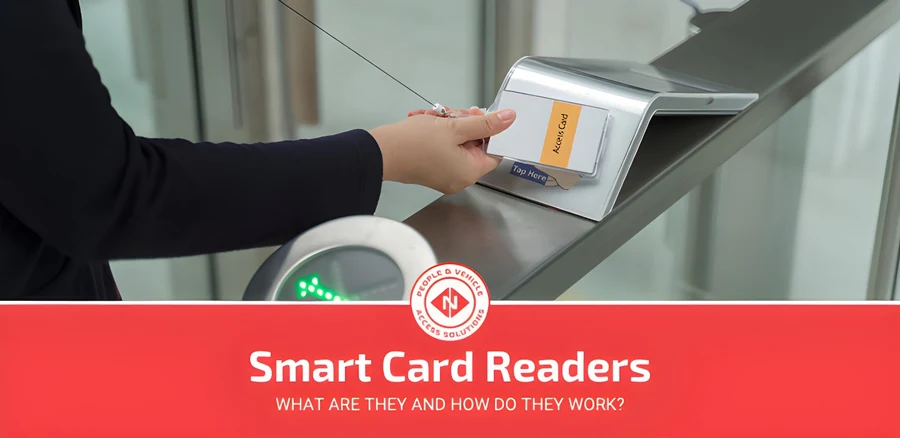
A contactless smart card reader is a reader that powers and reads a smart card through a 13.56 MHz radio field, so the card only needs to be held near it. Card and reader never touch. The data exchange can be encrypted, and the reader can tell several cards apart in its field and pick one. This is the standard reader for secure door access.
Contactless readers need the card within a set distance to work. For Nortech’s smart card readers that is up to 100 mm, depending on the card type. A dual-interface card has both a contact pad and an antenna, which is why a bank card can be inserted or tapped.
How do proximity card readers work?
A proximity card reader uses short-range, low-frequency RFID at 125 kHz. When a proximity card enters the reader’s field, the field powers the card’s antenna and chip, and the chip sends back its fixed ID number. If that number has permission, the controller unlocks the door.
The card someone carries is called their credential, and is also known as a prox card, tap card or contactless card. It can stay in a wallet or on a lanyard and still be read, as long as it comes within the reader’s range. Nortech’s proximity readers read at 50 to 100 mm, depending on the model and card.
Contactless payment cards and phones work on the same principle of a reader-powered chip, but they use 13.56 MHz and NFC rather than 125 kHz. Our guide to NFC readers explains how that works.
Smart card vs proximity card: what’s the difference?
A proximity card works at 125 kHz and stores a single, fixed ID number that it sends unencrypted to any reader. A smart card works at 13.56 MHz and has a chip that can store data in protected sectors and authenticate the reader with encryption keys. Proximity cards are cheaper; smart cards are much harder to copy.
| Proximity card | Contactless smart card | |
|---|---|---|
| Frequency | 125 kHz | 13.56 MHz |
| What the card holds | A fixed ID number | An ID plus data in protected sectors |
| Encryption | None | Yes, on secure cards such as MIFARE DESFire |
| Mutual authentication | No | Yes, on secure cards |
| Multiple applications on one card | No | Yes (doors, vending, time and attendance) |
| Cloning risk | High | Low on encrypted cards |
| Best for | Low-risk doors and existing systems | New installations and sensitive areas |
A smart card can process data on the card itself. A proximity card leaves all the processing to the reader and the access control system behind it. For the full security comparison, including UK migration costs, see our guide on the differences between RFID cards and proximity cards.
If your site already runs on proximity cards, you do not have to replace everything at once. Dual-technology readers read 125 kHz and 13.56 MHz cards at the same time, so existing cardholders keep their cards while new starters get smart cards.
Benefits and limits of proximity card readers
Proximity readers are still common, especially in older systems, and for many sites they remain a sensible choice.
- Easy to manage. Access rights live in the software, so if someone only works weekends you can remove their weekday access in a few clicks, and a lost card is cancelled without changing a lock.
- Widely supported. Parts, cards and installers who know the technology are easy to find, at most budgets.
- Little wear. Nothing is inserted or swiped and the reader has no moving parts, so readers last.
- Hands-free in practice. Users present a card or fob without touching the reader, and it can be read through a wallet.
- Works with other security. Proximity readers sit alongside CCTV, PIN keypads and biometrics on the same controller.
The main limit is security. A 125 kHz card sends its ID unencrypted, and a card cloner bought online for under £30 can copy it in seconds. For server rooms, cash offices and other sensitive areas, specify encrypted 13.56 MHz smart cards instead.
Proximity cards are often confused with key fobs because they use the same technology. There are a few differences between proximity cards and key fobs worth knowing before you order credentials.
Fail-safe vs fail-secure locks
A common question for any card-reader-based access control system is what happens when the power goes out. The answer depends on the type of electric lock installed.
Fail-safe locks
A fail-safe lock stays locked only while it has power. When the supply is cut, whether by outage, fire or anything else, the lock releases and the door opens.
That gives a safe exit in an emergency, which is why fail-safe locks are used on fire exits and evacuation routes. The trade-off is that a deliberate power cut could unlock the door, so these doors usually rely on other security layers too.
Fail-secure locks
A fail-secure lock works the other way round. The door stays locked without power and only unlocks when the system is running and a valid credential is presented.
These locks keep a door secure through a power failure, so they suit server rooms, stores and other high-security areas. Because people could be trapped during an outage, fail-secure locks must never be used on primary escape routes.
When to use each type
Most buildings use both. Fail-safe locks go on doors that form part of an escape route, so occupants can always get out. Fail-secure locks go on doors where keeping people out matters most, even in a power cut. Building and fire regulations will usually decide which type a given door needs.
Where are smart card and proximity card readers used?
In offices and corporate buildings, a single smart card often handles doors, lifts, printing and the canteen, which is why many companies standardise on 13.56 MHz cards.
In gyms and leisure centres, proximity and smart card readers on turnstiles check membership cards and fobs against the membership software in real time. Our guide to gym access control covers the integration.
In hospitals and clinics, readers control staff-only areas, pharmacies and records rooms, where an audit trail of who entered and when is as important as the lock itself.
On university and college campuses, the student ID card is usually a smart card that opens buildings and works in the library and print rooms.
In car parks and warehouses, proximity readers on pedestrian doors and stockrooms sit alongside long-range readers on the vehicle gates. For how readers fit into the wider system, see our RFID access control guide.
Frequently Asked Questions
What is a contactless smart card reader?
A contactless smart card reader reads a smart card through a 13.56 MHz radio field, so the card is held near the reader rather than inserted. The field powers the card’s chip, and the two exchange data, often encrypted. It is the standard reader type for secure door access.
How far away can a card be scanned?
It depends on the frequency and the reader. Proximity and smart card door readers read from a few centimetres, and Nortech’s models read at 50 to 100 mm depending on the model and card. Phones and payment terminals read at about 4 cm. Only UHF vehicle systems read at several metres, using tags made for the purpose.
What stops a card from being scanned?
Metal is the usual cause. A card kept in a metal case or RFID-blocking wallet, or presented to a reader mounted directly on steel, may not read. Two contactless cards held together in one wallet can also stop a read, so present one card at a time.
Can a smart card reader read proximity cards?
Only if it is a dual-technology reader. Proximity cards work at 125 kHz and smart cards at 13.56 MHz, so a standard smart card reader cannot read a proximity card. Dual-technology readers read both, which is how sites migrate from proximity to smart cards gradually.
Do smart cards need a battery?
No. A contact smart card is powered through its gold contacts when inserted, and a contactless card is powered by the reader’s field. That is why cards are thin, cheap and last for years.
Which is more secure, a smart card or a proximity card?
An encrypted smart card. A proximity card sends a fixed ID number that can be copied with cheap equipment, while a secure smart card such as MIFARE DESFire uses keys to check that both card and reader are genuine before releasing any data.
Next steps
Smart card readers suit sites that need encryption or one card for several jobs. Proximity readers suit simpler doors and existing systems, and dual-technology readers let you move from one to the other over time. Our engineers can look at your current cards and doors and recommend readers that fit your controller.