
An access control system is an electronic security system that manages who can enter a building, room, or site. Instead of a mechanical key, people present a credential — a fob, card, PIN, fingerprint, or vehicle number plate — which a reader and controller check against a list of permissions before unlocking the door, gate, or barrier.
At Nortech, we have been designing, supplying, and supporting access control systems across the UK for over 30 years, from single-door offices to multi-site logistics operations and gated estates. This guide explains how access control systems work, the types and credentials available, what they cost in the UK, and how to choose the right system for your building.
One quick clarification first, because the term is used two ways. This guide covers physical access control — controlling entry to physical spaces. That is different from logical (IT) access control, which governs access to data, networks, and files. The two share concepts like authentication and permission levels, but the systems, hardware, and buyers are entirely different.
How Does an Access Control System Work?
An access control system grants or denies entry by checking a credential against stored permissions, usually in under a second. Present a valid credential and the door unlocks; present an unrecognised one and access is denied and logged.
Every system, from a single door to a multi-site network, is built from four core components:
- Credential — what the user presents to gain entry. This can be token-based (a key fob, card, or mobile phone), knowledge-based (a PIN), or biometric (a fingerprint or face).
- Reader — mounted at the entry point, it reads the credential and passes the data on. Readers vary by credential type and communication protocol (commonly Wiegand or the newer, encrypted OSDP).
- Controller — the decision-maker. It receives the credential data, checks it against the permissions database, and sends the open or deny command. The controller is the heart of the system and the part that most affects flexibility and future integration.
- Access point — the door, turnstile, barrier, or gate the user is trying to pass through, fitted with an electric lock, strike, or maglock.
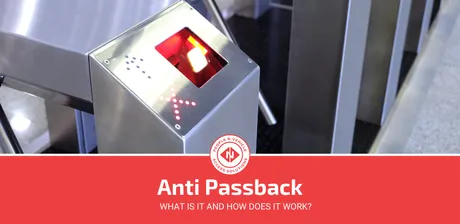
In practice: the user presents their credential to the reader, the controller confirms they are authorised, and the access point unlocks. Most systems also run management software that issues credentials, sets permissions, logs every event, and supports features like time-based access and anti-passback.
Types of Access Control Systems
Physical access control systems are best understood by their architecture — how the doors are managed and connected. This is the decision that most affects cost, scalability, and day-to-day management.
Standalone systems
A standalone system controls a single door or a small number of doors independently, with no central software. Credentials are programmed at the door itself. Standalone systems are the cheapest option and suit a small office, storeroom, or single entrance — but they offer no central audit trail, no remote management, and become impractical beyond a handful of doors.
Networked systems
A networked system connects all readers and controllers back to central management software over a wired (or sometimes wireless) network. This is the standard choice for most commercial sites. It gives you a single place to issue and revoke credentials, set access levels and time zones, and pull a full audit trail of who went where and when.
Cloud and hosted systems
Cloud systems put the management software online, so you administer access from anywhere and across multiple sites. They suit organisations with several locations or those that prefer not to run an on-premise server. The trade-off is an ongoing subscription, so it is worth comparing the long-term cost against a self-hosted networked system — see our guide to access control software options.
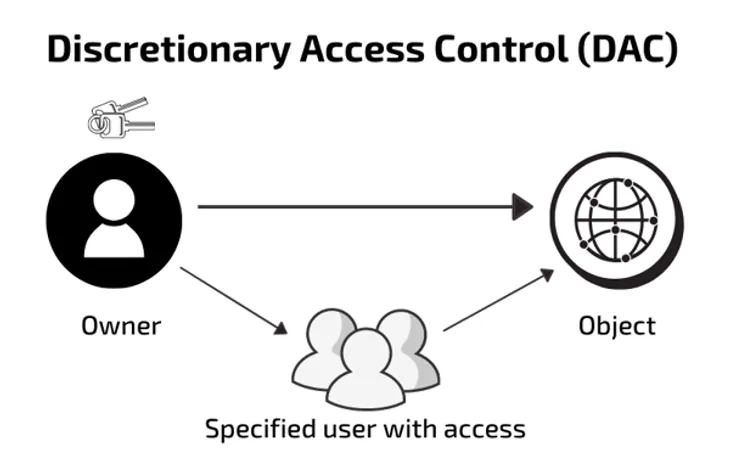
Within any of these, administrators set permission levels — by role, by individual, or by rule (for example, access only during working hours). These permission models are the admin layer that sits on top of the physical hardware.
Access Control Credentials Explained
The credential is what the user actually carries or presents. Choosing the right one is a balance of convenience, security, and cost.
| Credential | How it works | Best for |
|---|---|---|
| PIN / keypad | A code entered on a keypad | Low-cost, low-security doors; often paired with a second credential |
| RFID fob or card | A chip read wirelessly by proximity | The most common commercial credential; convenient and easy to manage |
| Smart card (MIFARE DESFire) | An encrypted 13.56 MHz credential with mutual authentication | Higher-security sites where cloning must be prevented |
| Biometric | A fingerprint, face, or iris scan | Highest-assurance areas where the credential cannot be shared or lost |
| Mobile credential | A smartphone using NFC or Bluetooth | Modern, convenient sites reducing physical credential admin |
| Vehicle (ANPR / long-range RFID) | A number plate or windscreen tag read at range | Car parks, gated sites, and vehicle access |
A word on security: basic 125 kHz proximity fobs are convenient but can be cloned with cheap, off-the-shelf equipment. For anything sensitive, specify encrypted 13.56 MHz MIFARE DESFire credentials or mobile credentials, which are far harder to copy. The same credential can often open doors and double as a photo ID or hotel key card.
Benefits of an Access Control System
Replacing locks and keys with access control delivers benefits across security, operations, and compliance.
Security benefits
- Control who goes where — grant each person access only to the areas they need, reducing both external breaches and internal risk.
- Instant credential revocation — a lost fob is deactivated in software in seconds, with no need to change locks or reissue keys to everyone else.
- A complete audit trail — every entry is logged with a timestamp, giving you evidence for investigations and disputes.
Operational benefits
- Lower staffing costs — automated entry reduces or removes the need for manned reception or security at every door.
- Time and zone control — restrict access to working hours, shifts, or specific zones without issuing different physical keys.
- Integration — access control links with CCTV, intruder alarms, fire systems, and time-and-attendance, so one event can trigger several responses.
For sectors with safety-critical flows, features like anti-passback manage how people move through a site and prevent credential sharing.
Access Control for Different Sectors
Access control looks different in each environment. These guides cover the specific requirements, regulations, and system choices for common UK sectors:
- Offices and commercial — access control for offices
- Gyms and leisure — gym access control and how to future-proof a gym’s access against software lock-in
- Hotels and hospitality — hotel key cards and access control
- Education — access control for schools
- Residential and apartments — apartment access control
- Industrial and logistics — warehouse access control
- Marine and leisure — marina access control
Each sector balances the same factors differently — a school prioritises lockdown and safeguarding, a logistics depot prioritises vehicle throughput, and a gym prioritises 24/7 unmanned entry tied to its membership software.
How Much Does an Access Control System Cost?
A fully installed access control system costs roughly £300–£1,200 per door in the UK, depending on credential type, system architecture, and door hardware. A standalone single door sits at the lower end; a networked door with encrypted credentials and integration sits higher.
The cost most buyers overlook is software. Proprietary platforms often charge recurring per-door licence fees, while open-architecture systems avoid them entirely — over a few years this can outweigh the hardware difference. For a full breakdown by system type and door count, see our access control system cost guide.
How to Choose an Access Control System
The right system comes down to a handful of questions:
- How many doors and sites? A single door can be standalone; multiple doors or sites need networked or cloud management with central administration and audit trails.
- What level of security? Match the credential to the risk — encrypted smart cards or biometrics for sensitive areas, standard fobs for general doors.
- Will it integrate with what you already have? Check that the system works with your CCTV, alarms, and any membership, HR, or management software, and how easily you can add capabilities later — such as integrating biometric access control onto existing doors. This is where open architecture matters most.
- Is it built on open standards? Systems using open protocols like Wiegand and OSDP, and open-architecture controllers, keep you free to choose your own software and avoid vendor lock-in. Nortech’s DeltaQuest controllers are designed exactly this way — open architecture, over 20 software integrations, and no recurring licence fees.
- Who installs and supports it? Look for an NSI- or SSAIB-approved installer to meet BS EN 60839 standards and insurance requirements. Our guide to access control installation walks through what to expect.
Physical vs Logical Access Control
Because “access control” is used in both physical security and IT, it is worth being precise:
- Physical access control governs entry to tangible spaces — buildings, rooms, gates, car parks — using readers, controllers, and credentials. That is what this guide, and Nortech, focus on.
- Logical (IT) access control governs entry to digital resources — networks, applications, and data — using passwords, multi-factor authentication, and identity platforms.
They share the same principle (verify identity, then grant the right level of access) but are built and bought separately. A facilities manager specifies physical access control; an IT team specifies logical access control.
Frequently Asked Questions
What is an access control system?
An access control system is an electronic system that controls who can enter a building or area. Users present a credential — a fob, card, PIN, biometric, or number plate — which a reader and controller check against stored permissions before unlocking the door. It replaces mechanical keys with manageable, auditable digital access.
What are the main types of access control systems?
Physical access control systems are mainly categorised by architecture: standalone systems control a single door with no central software; networked systems connect multiple doors to central management software; and cloud systems manage access online across multiple sites. Within these, credentials range from PINs and RFID fobs to biometrics and mobile phones.
How much does an access control system cost in the UK?
A fully installed access control system typically costs £300–£1,200 per door in the UK. Standalone single-door systems are cheapest, while networked systems with encrypted credentials and integration cost more. Recurring software licence fees are a major long-term cost on proprietary systems but are avoided with open-architecture platforms.
What is the difference between physical and logical access control?
Physical access control restricts entry to buildings, rooms, and sites using readers, controllers, and credentials. Logical access control restricts entry to digital resources such as networks, applications, and data using passwords and multi-factor authentication. They share the same identity-then-permission principle but use entirely different systems.
Can access control integrate with CCTV and alarms?
Yes. Most access control systems integrate with CCTV, intruder alarms, fire systems, and time-and-attendance software. Open-architecture systems integrate most easily, letting a single event — such as a door forced open — trigger a camera recording or an alert without proprietary restrictions.
Choosing the Right System for Your Site
The best access control system is the one that fits how your site actually runs — the number of doors, the level of security each needs, and the software you already rely on. The most common mistake we see is locking into a proprietary platform that limits future choices; specifying open architecture from the outset keeps you in control.
If you are weighing up options, Nortech’s engineers can recommend a system based on your building, door count, and existing infrastructure. Talk to an Engineer to discuss your project, or use our help me choose tool to get started.